
Introduction
In today’s digital world, personal data is more valuable than ever. Every time we shop online, use social media, or even check emails, we leave behind traces of our personal information. Names, addresses, phone numbers, financial details, and browsing habits are all part of this valuable data. Without proper protection, this information can fall into the wrong hands, leading to identity theft, fraud, or other serious consequences.
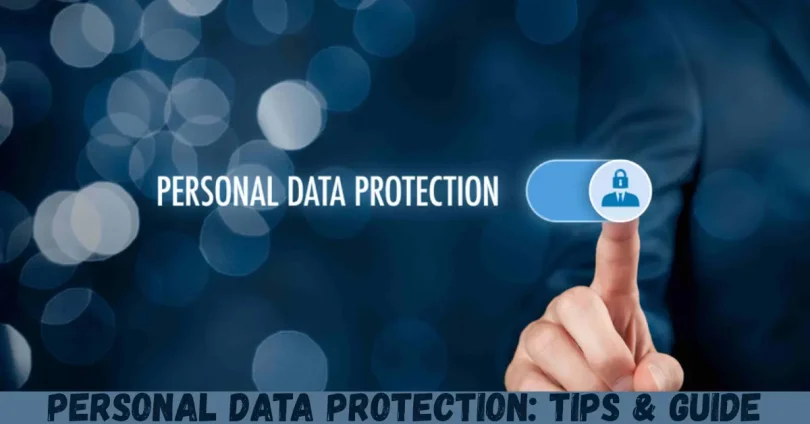
Personal Data Protection is the practice of securing this information from unauthorized access, misuse, or theft. It is not just a concern for big companies; individuals must also take steps to safeguard their own data. Whether you are a student, professional, or entrepreneur, understanding personal data protection helps you maintain privacy, avoid risks, and gain peace of mind.
What is Personal Data Protection?
Personal data protection refers to the process of safeguarding any information that can identify you personally. This includes your name, address, phone number, email, financial details, medical records, passwords, and online activity. Essentially, personal data protection ensures that your sensitive information is stored, processed, and shared securely.
Data protection is not just about keeping hackers away. It also involves understanding who can access your information, how it is being used, and ensuring compliance with privacy laws like GDPR (General Data Protection Regulation) and CCPA (California Consumer Privacy Act). These regulations make organizations responsible for handling personal data securely and transparently.
For individuals, personal data protection means taking proactive steps to control your online footprint. This can involve strong passwords, secure browsing habits, monitoring accounts, and knowing your rights when sharing data. Whether you are a casual internet user or someone managing sensitive business information, personal data protection is essential for peace of mind and digital security.
Why is Personal Data Protection Important?
The importance of personal data protection cannot be overstated. In a digital era, our information is constantly at risk. Here’s why protecting your data matters:
- Prevent Identity Theft: Stolen personal information can be used to open fake accounts, take loans, or commit fraud in your name.
- Protect Financial Information: Data breaches can expose your bank accounts, credit cards, and online payment details, leading to financial loss.
- Maintain Privacy: Protecting personal data ensures that your personal life remains private and secure.
- Avoid Cyberattacks: Hackers can exploit weak security to install malware, ransomware, or spyware.
- Compliance with Laws: Many countries require proper handling of personal data. Failure to comply can result in penalties.
In short, personal data protection helps you stay safe online, maintain your privacy, and reduce risks associated with cybercrime. By taking preventive steps, you can enjoy the benefits of digital life without compromising security.
Detailed Step-by-Step Guide to Personal Data Protection
Protecting personal data involves a combination of proactive habits, tools, and knowledge. The following guide breaks down the steps to ensure your information remains secure.
Step 1: Identify Your Personal Data
The first step is understanding what personal information you have and where it is stored. This includes:
- Full name, date of birth, and address
- Email accounts and login credentials
- Phone numbers and emergency contacts
- Financial information (bank accounts, credit cards)
- Medical records and health information
- Social media activity and online behavior
Knowing what information is sensitive will help you prioritize protection measures.
Step 2: Secure Your Devices
Devices are the main entry points for data theft. Take these precautions:
- Use strong passwords and PINs for all devices
- Enable device encryption for laptops and smartphones
- Install reputable antivirus and firewall software
- Keep software and operating systems up-to-date
- Avoid using public Wi-Fi for sensitive transactions
Step 3: Strengthen Online Accounts
Your online accounts often contain personal and financial data. Protect them by:
- Creating strong, unique passwords for every account
- Using two-factor authentication (2FA)
- Regularly reviewing account activity for suspicious behavior
- Limiting third-party app access to your accounts
Step 4: Manage Your Digital Footprint
Every time you share information online, it leaves a trace. To manage your digital footprint:
- Limit the personal details you post on social media
- Adjust privacy settings on apps and websites
- Be cautious about sharing sensitive information via email or chat
- Delete old accounts or inactive profiles
Step 5: Encrypt Sensitive Data
Encryption converts your data into unreadable code that only authorized users can access. Use encryption for:
- Emails containing sensitive information
- Files stored on your device or cloud services
- Backups and external storage devices
Step 6: Backup Your Data
Regular backups help you recover information in case of data loss or cyberattacks. Consider:
- Cloud-based backups for continuous protection
- External hard drives or encrypted USB storage
- Scheduling automatic backups for convenience
Step 7: Stay Informed About Threats
Cyber threats evolve constantly. Stay updated by:
- Following trusted cybersecurity news sources
- Learning about new scams and phishing tactics
- Attending online courses or workshops on data protection
Step 8: Dispose of Data Safely
When data is no longer needed, dispose of it securely:
- Shred physical documents containing personal information
- Wipe devices before selling or recycling them
- Delete sensitive files securely instead of simply moving them to trash
Benefits of Personal Data Protection
Investing in personal data protection comes with numerous advantages:
- Enhanced Privacy: Your personal life and digital activities remain confidential.
- Reduced Risk of Cybercrime: Strong protection prevents unauthorized access and fraud.
- Financial Security: Safeguards your bank accounts and online transactions.
- Peace of Mind: Knowing your data is secure reduces anxiety and stress.
- Compliance and Trust: Proper data handling ensures legal compliance and builds trust with others.
- Control Over Information: You decide who can access your data and how it is used.
Disadvantages / Risks of Poor Data Protection
Neglecting personal data protection can lead to serious consequences:
- Identity Theft: Criminals can misuse stolen information for fraudulent activities.
- Financial Loss: Hacked accounts and breached financial data can result in monetary damage.
- Privacy Breaches: Sensitive information can be exposed to unwanted parties.
- Reputational Damage: Leaked data can harm personal or professional reputation.
- Legal Penalties: Mishandling personal data can lead to fines under laws like GDPR.
- Psychological Stress: Victims of cybercrime often face anxiety and fear.
Common Mistakes to Avoid in Personal Data Protection
Even with good intentions, people often make mistakes that compromise their security:
- Using Weak Passwords: Avoid simple or repeated passwords across accounts.
- Ignoring Updates: Outdated software often has vulnerabilities exploited by hackers.
- Oversharing on Social Media: Revealing too much personal information online increases risks.
- Clicking Suspicious Links: Phishing attacks trick users into sharing sensitive data.
- Using Public Wi-Fi for Sensitive Tasks: Public networks are often unsecured.
- Neglecting Backup: Not backing up data can cause permanent loss in case of attacks.
- Not Monitoring Accounts: Regularly check for unusual activity in bank and online accounts.
By avoiding these mistakes, you can significantly improve your personal data protection.
FAQs About Personal Data Protection
1. What is the easiest way to protect personal data online?
The simplest approach is using strong passwords, enabling two-factor authentication, and avoiding suspicious links. Combining these habits offers basic yet effective protection.
2. Are public Wi-Fi networks safe for banking or shopping?
No. Public Wi-Fi is often unsecured, making it easy for hackers to intercept your data. Always use a VPN or secure network for sensitive transactions.
3. How often should I update passwords?
Ideally, every 3–6 months. Avoid using the same password for multiple accounts, and consider a password manager to keep track of them securely.
4. Can personal data be completely protected?
While absolute protection is impossible, following best practices like encryption, backups, and cautious online behavior drastically reduces risks.
5. What should I do if my data is breached?
Immediately change passwords, notify financial institutions if applicable, monitor accounts for suspicious activity, and consider credit monitoring services.
6. Is encryption necessary for personal data?
Yes. Encryption ensures that even if data is intercepted, it remains unreadable to unauthorized users, making it a critical step for sensitive information.
7. How can I manage my digital footprint?
Limit sharing personal information, adjust privacy settings, delete unused accounts, and be cautious about which apps or websites you trust.
8. Are there laws protecting personal data?
Yes. Laws like GDPR, CCPA, and other national regulations mandate how organizations handle personal data and give individuals rights to access, correct, and delete their information.
9. What are the common threats to personal data?
Common threats include phishing attacks, malware, ransomware, identity theft, data breaches, and social engineering scams. Awareness is key to prevention.
10. Can I recover lost data?
Yes, if you have proper backups, recovery tools, or if the breach is reported to authorities who may assist. Regular backups are essential to ensure recovery options.
Expert Tips & Bonus Points for Personal Data Protection
- Use a Password Manager: Generate and store strong, unique passwords securely.
- Enable Two-Factor Authentication: Adds a second layer of security beyond just a password.
- Regularly Review Permissions: Check which apps or websites have access to your data.
- Educate Yourself About Phishing: Learn to identify fake emails, messages, or websites.
- Secure Your Home Network: Change default router passwords and enable WPA3 encryption.
- Limit Data Sharing: Only provide personal information when absolutely necessary.
- Monitor Accounts: Regularly check for suspicious activity in bank accounts, emails, and social media.
- Secure Physical Documents: Store sensitive papers in locked drawers or cabinets.
- Be Careful with Cloud Services: Choose reputable providers and enable encryption where possible.
- Stay Updated: Keep up with new security threats and software updates to stay protected.
By applying these tips, you not only protect your personal information but also build habits that make data security a natural part of your online life.
Conclusion
Personal data protection is no longer just an option—it is a necessity in the modern digital age. From financial records to personal communications, almost every aspect of our lives involves sharing sensitive information online. Protecting this data is vital to prevent identity theft, financial loss, privacy invasion, and reputational damage.
By following practical steps such as using strong passwords, encrypting data, managing digital footprints, and staying aware of cyber threats, anyone can significantly reduce the risks associated with personal information. While no system is completely foolproof, proactive habits and informed choices can provide a strong defense against most cyber threats.