
Introduction
In today’s digital world, protecting your personal information online is more important than ever. Every day, millions of people share data through social media, email, online shopping, and even simple web browsing. While the internet makes life convenient, it also exposes users to risks such as identity theft, data breaches, cyberstalking, and phishing scams. Learning how to safeguard your information is essential to maintaining your privacy and security online.
Online Privacy is not just about hiding your data from hackers; it also involves controlling what information you share, understanding the tools available to protect your identity, and being aware of the potential threats that exist on the internet. By adopting strong online privacy practices, you can enjoy the benefits of the digital world without compromising your personal safety.
What is Online Privacy?
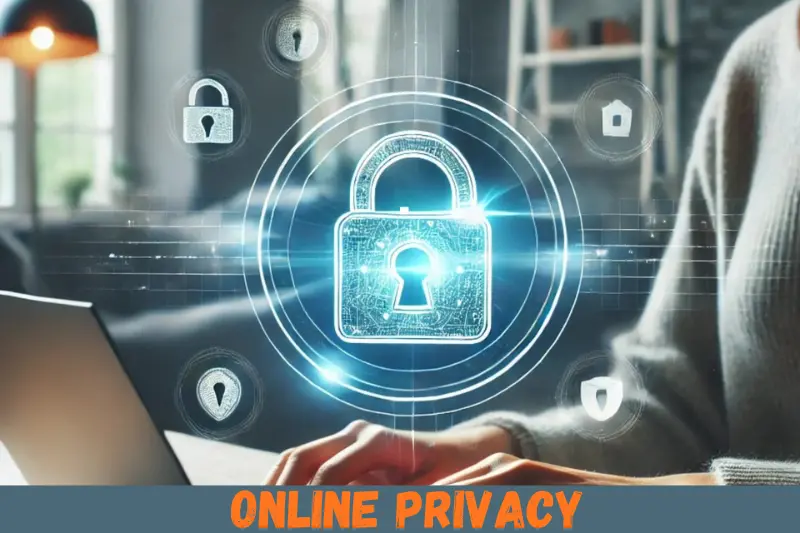
Online privacy refers to the protection of personal information and digital activities from being accessed, tracked, or misused by unauthorized individuals or organizations. This includes your emails, browsing history, social media activity, financial transactions, and any data you share online.
In simple terms, online privacy is about controlling what information about you is visible to others on the internet. When online privacy is compromised, hackers, advertisers, or even malicious websites can track your behavior, steal sensitive information, and misuse it for financial gain or identity theft.
Maintaining online privacy involves using tools and habits that limit data exposure, such as strong passwords, secure networks, VPNs, and encrypted messaging apps. By understanding the concept of online privacy, you can make better decisions and reduce the risk of cyber threats significantly.
Why is Online Privacy Important?
Online privacy is critical for several reasons:
- Protecting Personal Information: Every piece of personal data, from your email to your social security number, can be exploited if not protected.
- Preventing Identity Theft: Hackers can steal personal information to open accounts, make purchases, or commit fraud in your name.
- Securing Financial Transactions: Online banking and shopping require privacy safeguards to prevent unauthorized access.
- Avoiding Targeted Advertising: Companies track online behavior to serve ads, which may feel intrusive. Protecting your privacy limits this tracking.
- Maintaining Online Reputation: Information shared online can impact your reputation personally and professionally.
- Compliance with Laws: In some regions, such as the EU with GDPR, protecting user data is not just smart—it’s required by law.
- Peace of Mind: Knowing your data is secure reduces stress and allows you to enjoy online activities without fear.
Without proper online privacy measures, you expose yourself to risks that can be both financially and emotionally damaging.
Detailed Step-by-Step Guide to Online Privacy
1. Use Strong, Unique Passwords
Passwords are the first line of defense in protecting your online accounts. Here’s how to improve your password security:
- Create long passwords with a mix of letters, numbers, and symbols.
- Avoid using personal information like birthdates or names.
- Use a different password for each account.
- Consider a password manager to generate and store complex passwords securely.
Example: Instead of John123, use !J7oN#92pQ$.
2. Enable Two-Factor Authentication (2FA)
Two-factor authentication adds an extra layer of security by requiring a second verification step.
- Use 2FA for email, social media, banking, and cloud accounts.
- Options include SMS codes, authentication apps (Google Authenticator, Authy), or hardware tokens.
- Even if a hacker gets your password, 2FA prevents unauthorized access.
3. Adjust Privacy Settings on Social Media
Social media platforms collect vast amounts of personal data.
- Limit who can see your posts and personal information.
- Disable location sharing unless necessary.
- Regularly review connected apps and remove untrusted ones.
- Avoid sharing sensitive details like home address or phone numbers publicly.
Example: On Facebook, you can set posts to “Friends Only” instead of “Public.”
4. Use a Virtual Private Network (VPN)
A VPN encrypts your internet traffic and hides your IP address, making it harder for hackers and websites to track you.
- Choose a reputable VPN provider with a no-logs policy.
- Avoid free VPNs, which may sell your data.
- Use VPNs when using public Wi-Fi, traveling, or accessing sensitive accounts.
5. Browse Securely with HTTPS
HTTPS ensures that the connection between your browser and websites is encrypted.
- Look for the padlock symbol in the browser address bar.
- Avoid entering sensitive information on websites without HTTPS.
- Use browser extensions like HTTPS Everywhere for automatic protection.
6. Be Wary of Phishing Scams
Phishing scams attempt to steal sensitive information through fake emails, messages, or websites.
- Do not click on suspicious links or attachments.
- Verify sender details before responding.
- Look for spelling errors or unusual email addresses.
- When in doubt, contact the organization directly.
7. Limit Data Sharing with Apps
Many apps request permissions that are not necessary for their functionality.
- Review permissions before installation.
- Deny access to location, contacts, or camera unless required.
- Remove apps you no longer use to minimize data exposure.
8. Use Encrypted Messaging Apps
Encrypted messaging apps prevent unauthorized access to your conversations.
- Popular options include Signal, WhatsApp (end-to-end encryption), and Telegram (secret chats).
- Avoid sending sensitive information through standard SMS or unencrypted platforms.
9. Regularly Clear Cookies and Browsing Data
Websites track users with cookies, which store browsing information.
- Clear cookies periodically to reduce tracking.
- Use browser settings or extensions to block third-party cookies.
- Consider private browsing or incognito mode for sensitive searches.
10. Keep Software Updated
Outdated software can have vulnerabilities that hackers exploit.
- Enable automatic updates for your operating system, apps, and antivirus software.
- Regularly check for firmware updates for routers and IoT devices.
- Use reputable security software to scan for malware.
11. Protect Your Email
Your email is often the key to many online accounts.
- Use strong passwords and 2FA for email accounts.
- Avoid clicking on suspicious links.
- Consider using a secondary email for online sign-ups to reduce spam.
12. Be Mindful of Public Wi-Fi
Public Wi-Fi networks are convenient but risky.
- Avoid accessing sensitive accounts on public Wi-Fi.
- Use a VPN to secure connections.
- Disable automatic Wi-Fi connections on your device.
13. Secure Your Devices
Physical access to your devices can compromise privacy.
- Use screen locks and strong passwords on all devices.
- Enable device encryption where possible.
- Install tracking apps to locate lost or stolen devices.
Benefits of Online Privacy
Implementing these online privacy tips offers several benefits:
- Protection from hackers and cybercriminals
- Reduced risk of identity theft
- Safe financial transactions online
- Less exposure to targeted ads and tracking
- Improved control over personal data
- Peace of mind while browsing
- Compliance with legal privacy regulations
- Stronger online reputation management
Disadvantages / Risks of Poor Online Privacy
Neglecting online privacy can lead to serious issues:
- Identity theft: Hackers can steal your information.
- Financial loss: Online banking and credit card fraud.
- Data misuse by companies: Selling personal data without consent.
- Privacy invasion: Unwanted tracking and ads.
- Reputational damage: Public exposure of personal content.
- Cyberstalking or harassment: Personal information can be misused.
- Phishing attacks: Fraudulent attempts to steal credentials.
Common Mistakes to Avoid
Even with the best intentions, people often make privacy mistakes:
- Reusing passwords across multiple accounts.
- Ignoring software updates, leaving devices vulnerable.
- Oversharing on social media, including location and personal details.
- Using public Wi-Fi without protection.
- Clicking on unknown links in emails or messages.
- Not enabling two-factor authentication on important accounts.
- Downloading untrusted apps or software.
- Neglecting to review privacy settings on platforms regularly.
Avoiding these mistakes significantly strengthens your online privacy.
FAQs About Online Privacy
1. What is the easiest way to protect my online privacy?
Using strong, unique passwords combined with two-factor authentication is the most straightforward way to secure your accounts. Adding a VPN and adjusting privacy settings provides extra protection.
2. Can free VPNs compromise my privacy?
Yes, many free VPNs track and sell user data. It is safer to use reputable paid VPN services with a strict no-logs policy.
3. How often should I change my passwords?
It’s recommended to update passwords every 3–6 months or immediately if you suspect a breach. Password managers can help manage this easily.
4. Are private browsing modes completely secure?
Private or incognito mode prevents your browser from saving history and cookies but does not hide your activity from websites, ISPs, or hackers. Use a VPN for full protection.
5. Is online privacy only about avoiding hackers?
No, online privacy also includes preventing tracking by companies, avoiding targeted ads, protecting financial information, and controlling personal data shared online.
6. Should I use multiple email addresses for online accounts?
Yes, using a secondary email for sign-ups or less important accounts reduces spam and exposure of your main email, adding an extra layer of privacy.
7. How can I protect my children’s online privacy?
Enable parental controls, monitor app permissions, educate them about sharing information, and ensure they use safe browsing practices.
8. Are social media privacy settings effective?
Yes, but only if you review and adjust them regularly. Default settings are often too open, so it’s important to customize them for your comfort level.
Expert Tips & Bonus Points
- Use a privacy-focused search engine: Search engines like DuckDuckGo do not track your activity.
- Regularly audit connected devices: Disconnect smart devices you no longer use.
- Use encrypted cloud storage: Protect sensitive files from unauthorized access.
- Monitor your accounts: Check for unusual login activity or security alerts.
- Educate yourself continuously: Stay updated on emerging online threats.
- Limit digital footprints: Think before sharing personal information online.
- Secure IoT devices: Change default passwords and update firmware on smart home devices.
Bonus tip: Consider creating a personal digital security checklist to follow monthly—it helps maintain consistent privacy protection.
Conclusion
Online privacy is no longer a luxury; it is a necessity. With increasing cyber threats, data breaches, and online tracking, protecting your personal information should be a priority. By following these online privacy tips, you can secure your accounts, safeguard sensitive data, and enjoy a safer internet experience.
From using strong passwords and enabling two-factor authentication to adjusting social media settings and using VPNs, these practical steps can significantly reduce your vulnerability to cyber threats. Regularly reviewing your privacy settings, updating software, and being mindful of the information you share are simple habits that make a huge difference.