
Introduction
In today’s connected world, protecting digital information is no longer optional. Every device, from mobile phones to office servers, depends on secure networks to function safely. Cyber threats are increasing every year, and attackers are becoming smarter and faster. This is why learning and applying Network Security Tips is essential for both individuals and businesses. These tips help reduce risks, prevent data theft, and ensure smooth digital operations.
Many beginners believe that network security is only for large companies. In reality, home users, freelancers, and small businesses are often the easiest targets. A weak Wi-Fi password or outdated software can open the door to serious problems. By following basic Network Security Tips, anyone can significantly improve their online safety without needing advanced technical skills.
What is Network Security?
Network security refers to the practices, tools, and rules used to protect a computer network and the data that flows through it. The goal is to prevent unauthorized access, misuse, or damage to systems and information.
A network includes devices like computers, routers, servers, and smartphones connected together. Network security works by controlling who can access these devices and what actions they can perform.
It involves both hardware and software solutions. Firewalls, antivirus programs, passwords, and monitoring tools all play a role. Together, they create multiple layers of protection that make it harder for attackers to break in.
In simple terms, network security is about keeping your digital doors locked while allowing trusted users to enter safely.
Why is Network Security Important?
Network security is important because data is valuable. Personal details, financial records, and business information can cause serious damage if stolen or exposed.
A single security breach can lead to data loss, financial penalties, and loss of trust. For businesses, this may also result in legal issues and downtime.
Cybercriminals often target weak networks. They use malware, phishing, and hacking techniques to exploit vulnerabilities. Without proper protection, even a small mistake can have big consequences.
Strong network security helps ensure privacy, system reliability, and business continuity. It allows users to work, communicate, and store information with confidence.
Detailed Step-by-Step Guide
Step 1: Secure Your Network Devices
Start by protecting all devices connected to your network.
- Change default usernames and passwords on routers
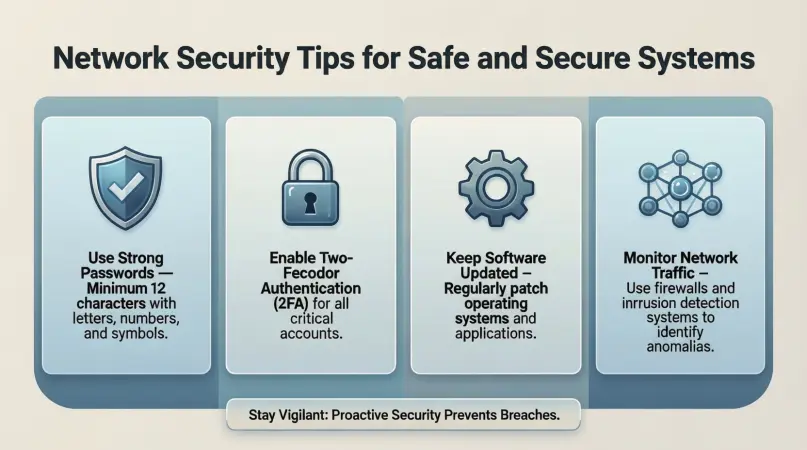
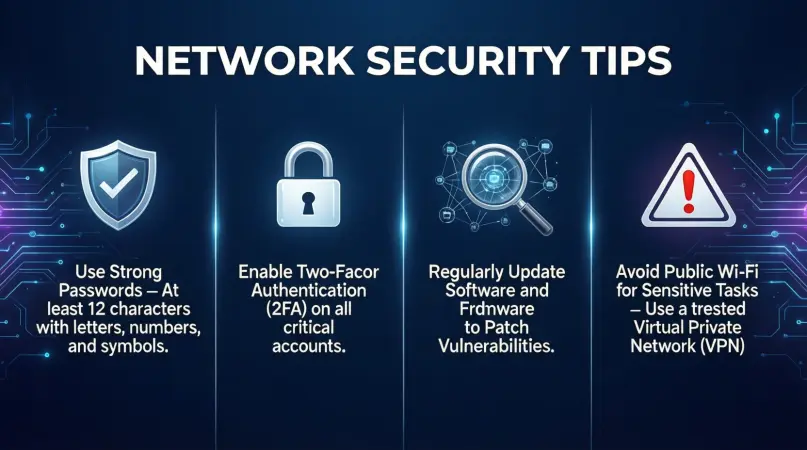
- Use strong, unique passwords for each device
- Disable unused services and ports
For example, many routers come with simple default passwords. Attackers know these defaults and try them first.
Step 2: Use Strong Wi-Fi Protection
Wi-Fi networks are common entry points for attackers.
- Use WPA3 or WPA2 encryption
- Hide your network name if possible
- Create a strong Wi-Fi password
Avoid sharing your Wi-Fi password publicly. If guests need access, create a separate guest network.
Step 3: Install Firewalls
Firewalls act as barriers between your network and the internet.
- Enable built-in firewalls on routers and computers
- Use both hardware and software firewalls when possible
Firewalls monitor incoming and outgoing traffic and block suspicious activity automatically.
Step 4: Keep Software Updated
Outdated software often contains security flaws.
- Enable automatic updates
- Update operating systems, routers, and applications regularly
Updates often include security patches that fix known vulnerabilities.
Step 5: Use Antivirus and Anti-Malware Tools
Security software helps detect and remove threats.
- Install trusted antivirus programs
- Run regular system scans
- Keep virus definitions updated
This adds another layer of protection against harmful files and programs.
Step 6: Control User Access
Not everyone needs full access to the network.
- Use role-based access
- Limit administrative privileges
- Remove access for inactive users
This reduces the chance of accidental or intentional misuse.
Step 7: Monitor Network Activity
Monitoring helps identify unusual behavior early.
- Check logs regularly
- Use alerts for suspicious activity
- Review connected devices
Early detection can prevent small issues from becoming major incidents.
Step 8: Backup Your Data
Backups protect against data loss.
- Schedule automatic backups
- Store backups offline or securely in the cloud
- Test backups regularly
If an attack occurs, backups allow quick recovery without paying ransoms.
Benefits of Network Security Tips
- Protects sensitive personal and business data
- Reduces the risk of cyber attacks
- Improves system performance and reliability
- Builds trust with customers and users
- Helps meet legal and compliance requirements
- Saves money by preventing costly breaches
Disadvantages / Risks
- Initial setup may take time
- Some tools require financial investment
- Overly strict rules can limit user convenience
- Requires regular maintenance and updates
Despite these challenges, the benefits clearly outweigh the risks when implemented correctly.
Common Mistakes to Avoid
One common mistake is using weak passwords. Simple passwords are easy to guess and should be avoided at all costs.
Another mistake is ignoring software updates. Delaying updates leaves systems exposed to known threats.
Many users also assume antivirus software alone is enough. In reality, security requires multiple layers working together.
Finally, failing to educate users can undermine all technical measures. Human error is often the weakest link.
FAQs
What are basic network security tips for beginners?
Beginners should start by using strong passwords, enabling firewalls, updating software, and securing Wi-Fi networks with proper encryption.
How often should network security be reviewed?
Network security should be reviewed regularly, at least once every few months, or whenever new devices or users are added.
Is network security only for businesses?
No, home users also need network security. Personal data is valuable and often targeted by attackers.
Can free security tools be effective?
Yes, many free tools offer basic protection. However, paid solutions often provide more advanced features and support.
What is the biggest network security threat today?
Phishing and malware remain major threats because they exploit human behavior rather than technical flaws.
Do small networks really need monitoring?
Yes, monitoring helps detect unusual activity early, even in small networks, reducing potential damage.
Expert Tips & Bonus Points
Always think in layers when applying security. No single tool can provide complete protection.
Educate users regularly about safe online behavior. Awareness reduces risky actions.
Test your security setup through simulated attacks or audits. This helps identify weaknesses.
Document your network setup and security policies. Clear documentation improves consistency and response times.
Plan for incidents before they happen. An incident response plan saves time and reduces panic during real events.
Conclusion
Network security is an ongoing process, not a one-time task. As technology evolves, so do the threats that target digital systems. By following practical Network Security Tips, individuals and organizations can greatly reduce their exposure to cyber risks. The key is consistency, awareness, and a willingness to improve over time.
Simple actions like updating software, using strong passwords, and monitoring network activity can make a huge difference. These steps do not require expert knowledge, yet they provide strong protection when used together. Network Security Tips are most effective when applied as part of a layered approach that combines tools, policies, and user education.